
Contents
Overview
This tutorial is for Joomla extension developers who run their own copy of Multizone Subscriptions Manager (pkg_subsmgr) to manage tiered subscriptions for their customers. You will learn how to build a customer-side extension that validates subscription keys against your own Subscriptions Manager installation and enforces per-tier feature limits.
Audience: Joomla 4.x, 5.x, and 6.x extension developers who want to offer their extensions with tier-based feature gating (Trial, Standard, Premium, Enterprise) without building their own subscription infrastructure.
Signed Validation
RSA-2048 signed responses bound to the customer's Joomla installation fingerprint, preventing cache copying between sites.
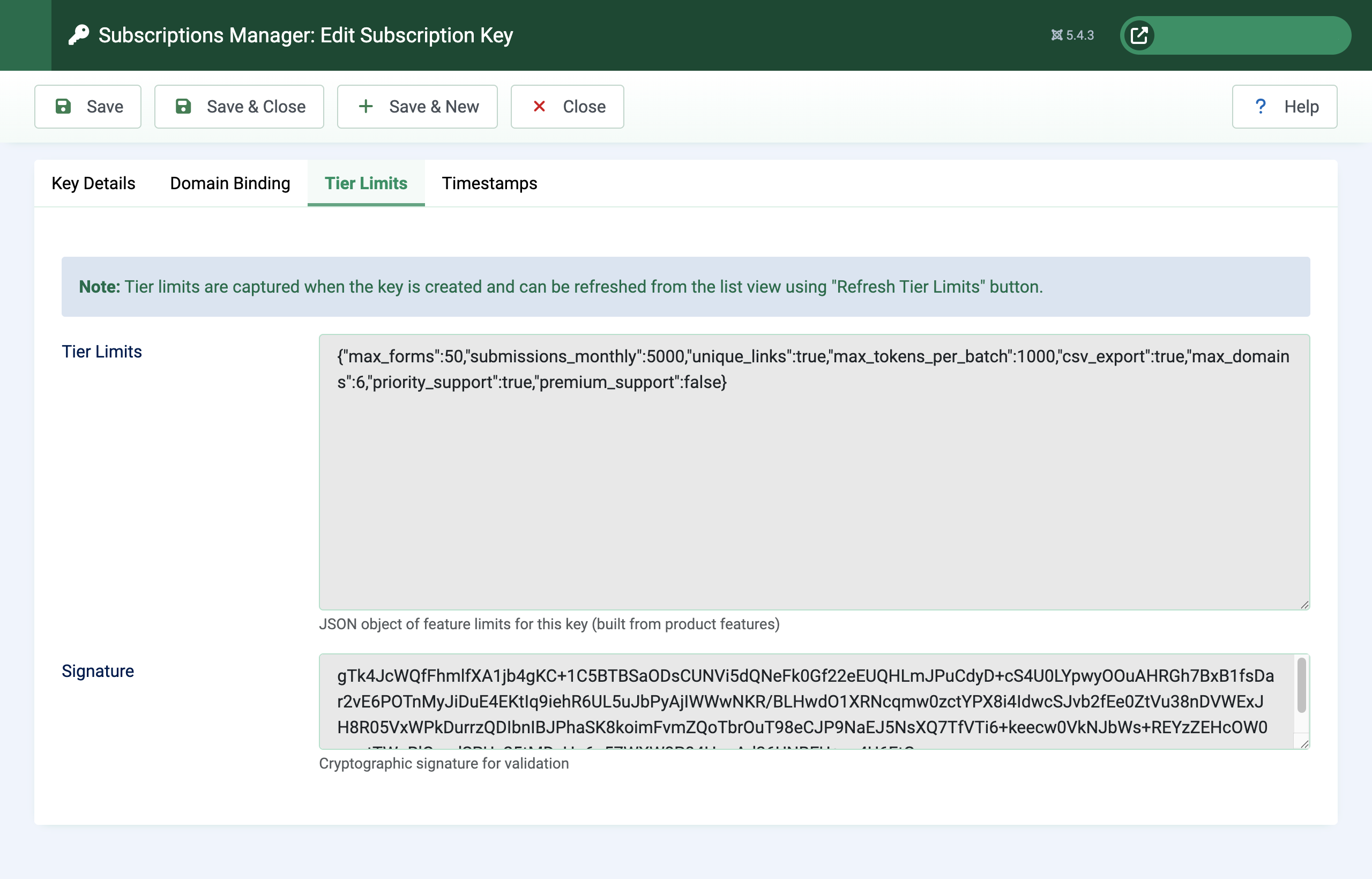
Tier-Based Limits
Four feature types — cumulative, periodic, boolean, tiered value — let you gate anything from row counts to monthly API quotas.
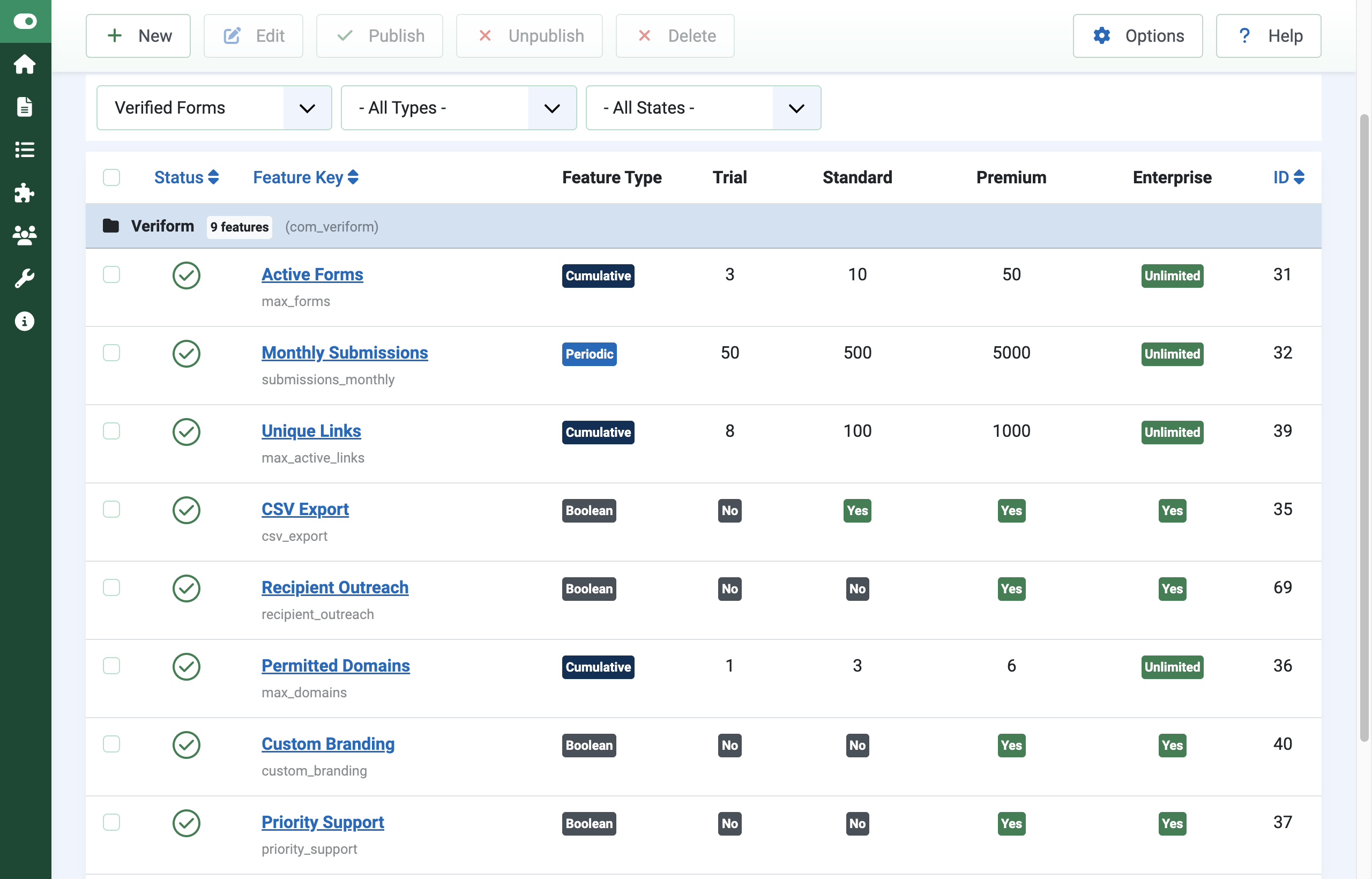
Graceful Degradation
Cached responses keep customers running when your validation server is unreachable, falling back to trial tier only as a last resort.
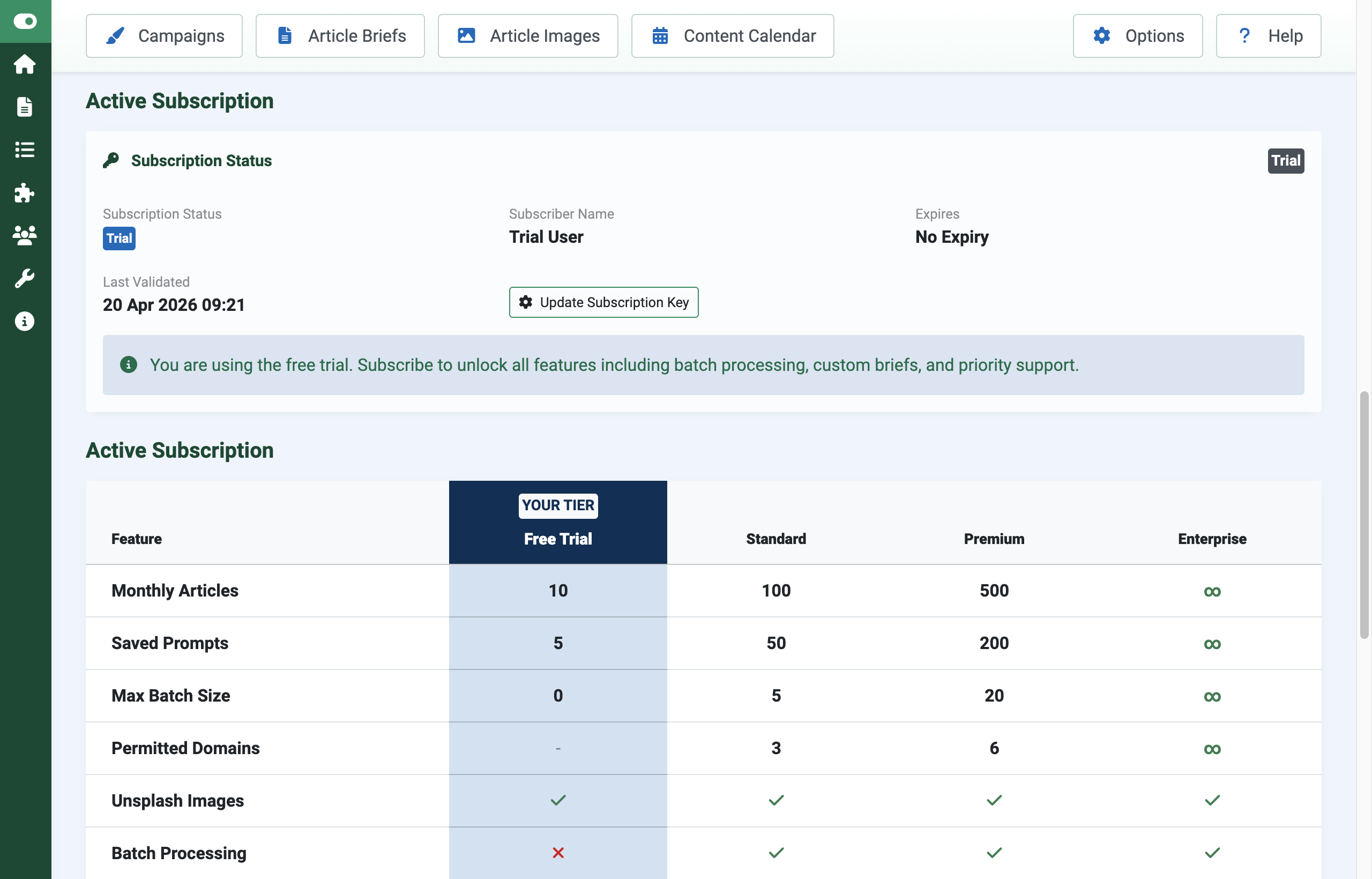
How it Works
There are two sites involved: yours (running Subscriptions Manager, acting as the subscription authority) and your customer's (running your extension). Your extension talks to your Subscriptions Manager via its REST API.
- You define product features in your Subscriptions Manager admin — one row per feature, with a value for each tier.
- You issue a subscription key to your customer. Tier limits are baked into the key as a signed JSON snapshot at creation time.
- Your extension (on the customer's site) validates the key against your Subscriptions Manager's public API. The response is RSA-signed and bound to the customer's Joomla secret, so it cannot be copied between sites.
- Your extension enforces limits locally using a cached copy of the response. You call
checkResourceLimit('feature_key')before allowing an action.
Prerequisites
- Subscriptions Manager (
pkg_subsmgr) installed on your own Joomla site, configured as a subscription authority. - A Joomla extension of your own with at least one resource worth gating (rows in a table, API calls, stored files, email sends, etc.).
- The RSA public key generated by your Subscriptions Manager installation (required by customer-side extensions to verify signed responses).
- A configuration field in your extension where customers can paste their subscription key.
Define Your Product Features
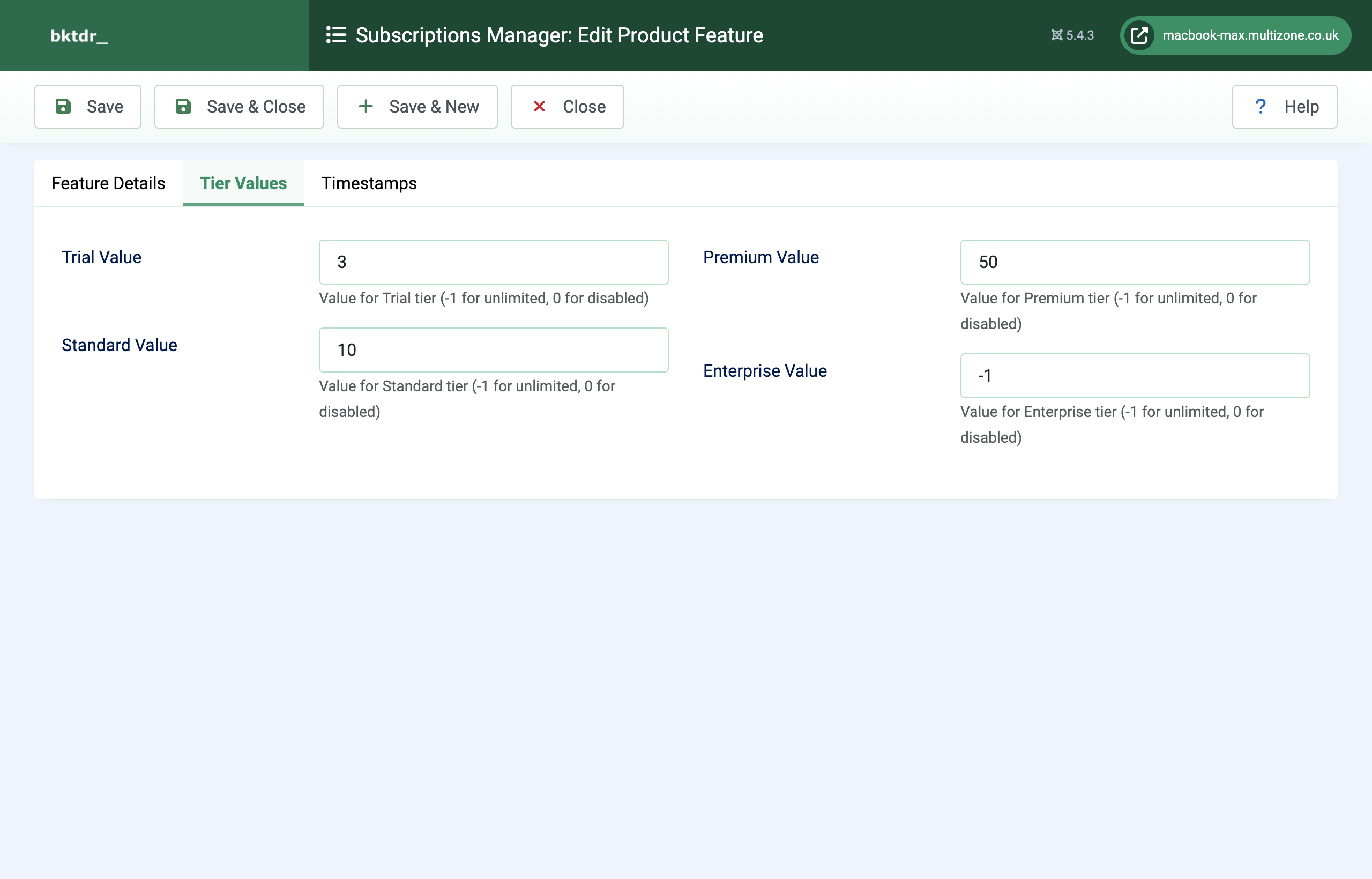
In your Subscriptions Manager admin, go to Components > Subscriptions Manager > Product Features and add a row per feature you want to gate. Example for a hypothetical article generator:
| feature_key | type | trial | standard | premium | enterprise |
|---|---|---|---|---|---|
max_articles |
cumulative | 5 | 100 | 1000 | -1 |
api_calls_monthly |
periodic | 100 | 10,000 | 100,000 | -1 |
custom_templates |
boolean | 0 | 1 | 1 | 1 |
export_formats |
tiered_value | 1 | 3 | 5 | 10 |
Feature types
cumulative— total active count. Block when at limit.-1means unlimited,0means blocked entirely.periodic— monthly resetting counter (resets on the 1st). Useful for API call quotas.boolean— feature on/off flag.1enables,0disables.tiered_value— numeric caps that scale per tier (e.g. batch size limit).
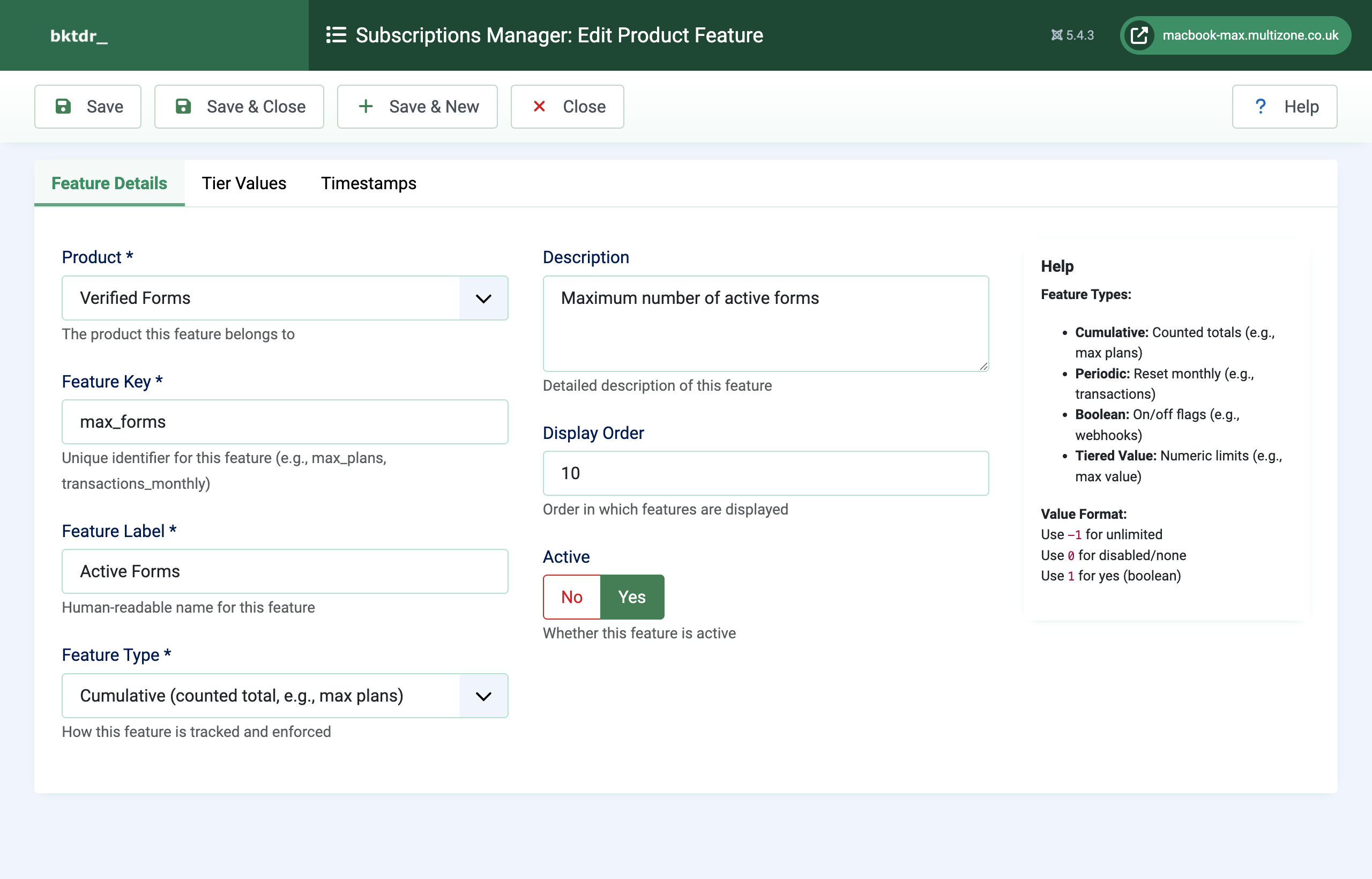
Extension Architecture
Add a TierService class to your extension's admin Service/ folder. It uses two reusable traits shipped with pkg_subsmgr that you copy into your extension:
SubscriptionValidationTrait— handles API calls, signature verification, caching, and fallback.LimitEnforcementTrait— registers resources and enforces limits.
namespace YourVendor\Component\YourExt\Administrator\Service;

use YourVendor\Component\YourExt\Administrator\Trait\SubscriptionValidationTrait;
use YourVendor\Component\YourExt\Administrator\Trait\LimitEnforcementTrait;

class TierService
{
    use SubscriptionValidationTrait;
    use LimitEnforcementTrait;

    public function __construct()
    {
        $this->productSlug = 'com_yourext';   // must match your product_slug in Subscriptions Manager
        $this->initializeSubscriptionValidation();
        $this->registerResources();
    }

    protected function registerResources(): void
    {
        $db = \Joomla\CMS\Factory::getContainer()->get('DatabaseDriver');

        $this->registerResource('max_articles', [
            'feature_key'    => 'max_articles',
            'label'          => 'Articles',
            'resource_type'  => 'cumulative',
            'count_callback' => fn() => (int) $db->setQuery(
                'SELECT COUNT(*) FROM #__yourext_articles WHERE state = 1'
            )->loadResult(),
        ]);

        $this->registerResource('api_calls_monthly', [
            'feature_key'   => 'api_calls_monthly',
            'label'         => 'API Calls',
            'resource_type' => 'periodic',
        ]);

        $this->registerResource('custom_templates', [
            'feature_key'   => 'custom_templates',
            'label'         => 'Custom Templates',
            'resource_type' => 'boolean',
        ]);
    }
}
The trait needs to know where your Subscriptions Manager lives. Either hard-code your validation URL in the trait, or expose it as a component config option:
// In SubscriptionValidationTrait
protected function getValidationApiUrl(): string
{
    return 'https://www.yoursite.com/api/index.php/v1/subsmgr/validate';
}
Store the Subscription Key
Add a subscription_key field to your component's config.xml:
<fieldset name="subscription" label="COM_YOUREXT_CONFIG_SUBSCRIPTION">
    <field
        name="subscription_key"
        type="text"
        label="COM_YOUREXT_CONFIG_SUBSCRIPTION_KEY"
        description="COM_YOUREXT_CONFIG_SUBSCRIPTION_KEY_DESC"
        filter="string"
        size="60"
    />
</fieldset>
The trait reads this via ComponentHelper::getParams('com_yourext')->get('subscription_key').
Enforce Limits in Your Code
Before any action that should be gated, check the limit:
$tier = new TierService();
$check = $tier->checkResourceLimit('max_articles');

if (!$check['allowed']) {
    $app->enqueueMessage($check['message'], 'error');
    return false;
}

// proceed with the action...
The $check response contains everything you need to render a warning or block the action:
[
    'allowed'          => false,
    'message'          => 'Articles limit reached (100/100 used). Upgrade to Premium tier.',
    'current'          => 100,
    'limit'            => 100,
    'remaining'        => 0,
    'percentage'       => 100.0,
    'tier'             => 'standard',
    'warning_level'    => 'urgent',    // null | 'info' | 'warning' | 'urgent'
    'upgrade_required' => true,
    'resource_type'    => 'cumulative',
]
- Boolean features return
['allowed' => true|false]based on the tier value. - Periodic features allow configurable grace (e.g. 110% of limit) and reset on the 1st of each month.
- Cumulative features reject immediately when at the limit.
Display Usage in Your UI
Use a sidebar meter on form pages to show progressive disclosure. Colour-code using Bootstrap's text-bg-* classes for theme compatibility:
$check = $tier->checkResourceLimit('max_articles');
$class = match ($check['warning_level']) {
'urgent' => 'text-bg-danger',
'warning' => 'text-bg-warning',
'info' => 'text-bg-info',
default => 'text-bg-success',
};
?>
<div class="card">
<div class="card-body">
<h5>Articles</h5>
<div class="progress">
<div class="progress-bar <?= $class ?>"
style="width: <?= min(100, $check['percentage']) ?>%">
<?= $check['current'] ?> / <?= $check['limit'] === -1 ? '∞' : $check['limit'] ?>
</div>
</div>
<?php if ($check['upgrade_required']): ?>
<p class="text-danger small mt-2"><?= $check['message'] ?></p>
<?php endif; ?>
</div>
</div>
The Validation API
Your extension calls the validation endpoint on your Subscriptions Manager installation; the trait handles this for you.
Endpoint
POST https://www.yoursite.com/api/index.php/v1/subsmgr/validate
Request
{
    "subscription_key": "subsmgr-2026-a1b2c3d4e5f6a7b8",
    "product_slug": "com_yourext",
    "domain": "customer.com",
    "fingerprint": "sha256-of-joomla-secret"
}
Response (RSA-SHA256 signed)
{
    "valid": true,
    "tier": "premium",
    "features": {
        "max_articles": 1000,
        "api_calls_monthly": 100000,
        "custom_templates": true,
        "export_formats": 5
    },
    "expires_date": "2027-04-20T23:59:59Z",
    "subscribed_to": "Acme Corp",
    "is_trial": false,
    "validation_timestamp": "2026-04-20T10:30:00Z",
    "fingerprint_hash": "abc123...",
    "signature": "base64-rsa-signature"
}
Why the fingerprint matters
The fingerprint is a hash of the Joomla installation's secret. Your Subscriptions Manager binds the signed response to this fingerprint so a customer cannot copy a valid cached response from one site to another — the receiving site will not match its own fingerprint.
Caching
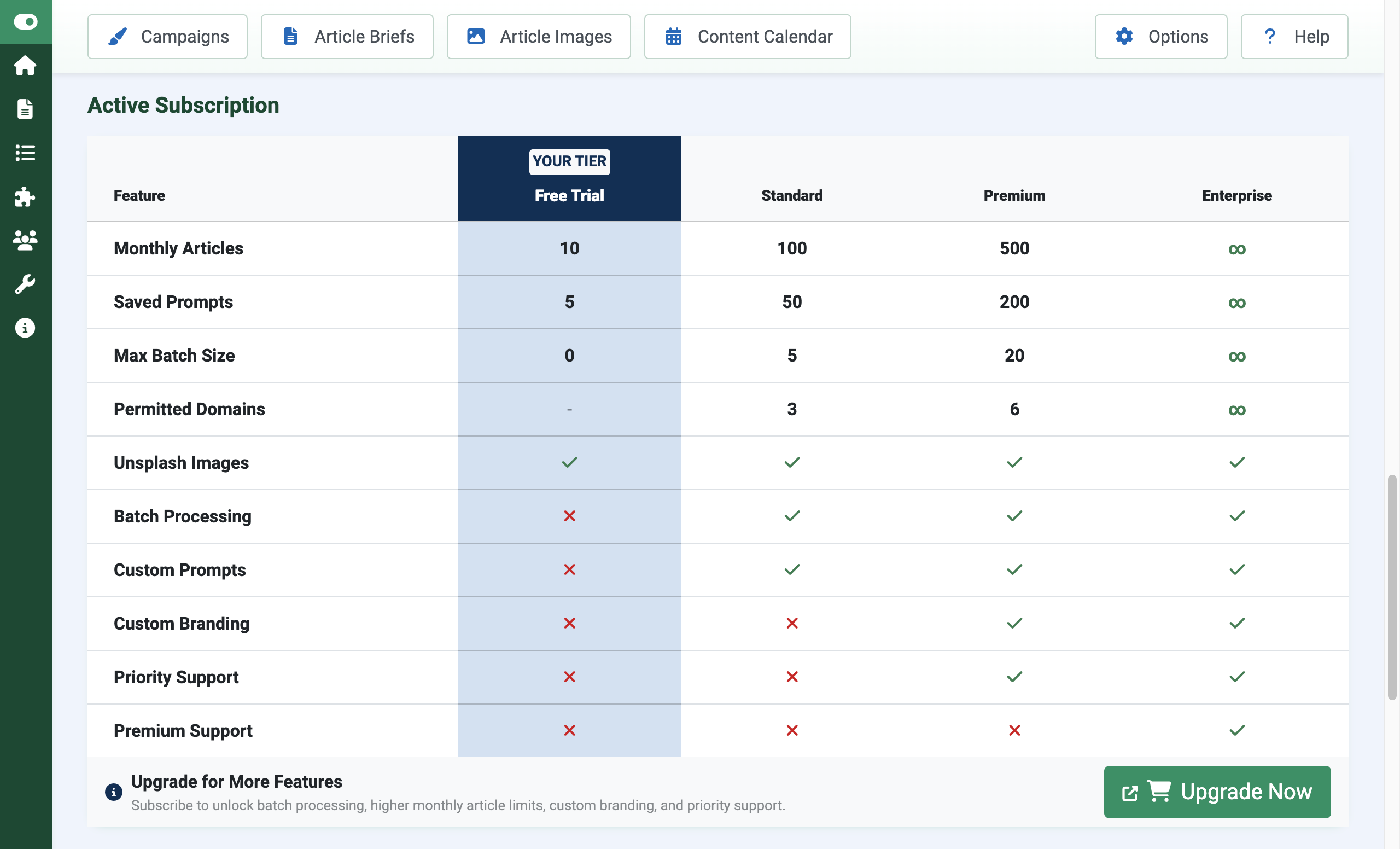
The trait caches validated responses for 15 minutes (paid keys) or 24 hours (trial keys). If your API is unreachable, it falls back to the last valid cached response; if that has expired too, the customer drops to trial limits automatically.
Testing Checklist
- Install your extension on a clean Joomla site.
- Enter a trial subscription key — check that trial limits apply.
- Create resources up to the trial limit — verify the sidebar turns yellow then red.
- Attempt to exceed the limit — verify the action is blocked.
- Enter a paid key — verify limits increase.
- Disconnect the network — verify the extension keeps working from cache.
- Wait 15 minutes with no network — verify it falls through to trial tier gracefully.
- Try copying a cached response from another site — verify the signature check rejects it.
Common Pitfalls
Cause: product_slug mismatch between your extension and the product registered in your Subscriptions Manager.
Fix: Check the spelling exactly matches the product_slug column on your product features table.
Cause: The count_callback is throwing an exception (often a missing table on fresh install).
Fix: Wrap the callback in try/catch, or check the table exists before querying.
Cause: The customer's cache still holds the old response.
Fix: Call $tier->invalidateCache() from your extension, or wait up to 15 minutes for the cache to expire.
Cause: The public key embedded in your extension does not match the private key on your Subscriptions Manager installation.
Fix: Re-export the public key from Subscriptions Manager and update it in your extension. If you rotate keys, you will need to ship a new release of your extension.
Get support
Contact us
Questions, bug reports, feature requests — get in touch.
- Website: multizone.co.uk
- Email:
This email address is being protected from spambots. You need JavaScript enabled to view it. - In-app help: Each Multizone component has a checklist or explainer on its dashboard and help throughout the component.
What support covers
All Multizone extensions are freely downloadable as trials.
- Trial — community support via the documentation and changelog.
- Standard / Premium / Enterprise — direct email support; response priority scales with tier.
- Extension Directory – host your extension on our Suscription Manager platform (Fees apply).
- Custom development – extend Subscriptions Manager; build a customer-side extension with subscription tier support. Host your extension on our Suscription Manager platform (Ask for a quotation).
Documentation and changelogs for every extension can be found at multizone.co.uk/documentation.


